

“It’s supposed to be automatic, but actually you have to push this button”
John Brunner
The digital revolution
How many times have you felt some sort of curiosity towards introducing new online tools in your classroom?
Whether you like them or not, new technologies have become part of most people’s lives all over the planet.
It’s still possible to find people who are completely at odds with technology and refuse to catch up with this fast-changing world, especially among “baby boomers” or those born post–World War II between 1946 and 1964.
If we look, however, at more recent generations, for example, Generation X, those that have followed, and above all our students, we will see that new technologies are a natural part of their daily routine and lives.
These so-called “digital natives” were born into a world made up of social media, online shopping, influencers, and so on… As such, they don’t know or understand what life was like before the digital revolution.
Imagine their thoughts looking at a middle-aged person who lives without a smartphone, ignoring the meaning of words like “account”, “log out”, or “podcast”.
New technologies have certainly created a significant distance between digital natives and previous generations.
In the classroom, we know how important it is for teachers to develop positive relationships with their students and to understand their world with its problems, pace, and characteristics.

Technology has become essential
The main reason why it is important to introduce new technologies into the classroom is that most students nowadays cannot process information in a different way; some need a screen, a video, or a quiz in order to learn better.
So a teacher who completely removes technology from their classroom is a teacher who is imposing rigid limits on the students regarding their learning possibilities.
Students also know this and can perceive this distance: a distance from them, but also a distance between the school and the world outside of the school.
For these reasons, the teaching-learning process in our current societies cannot exist without technology.
Different types of programs
The number of online educational tools is abundant and growing more and more every month.

The programs below have been divided into categories. Of course, we have to understand that it is not always possible to define a program within just one category; some programs are very complex and could be listed in 2 or 3 categories.
Moreover, there are categories that are not included here and programs that are not possible to categorize or where one could be invented.
An intensive research study, which includes all the educational tools available online, would take a very long time to complete.
If you don’t believe me, search on Google… and you’ll start a never-ending journey through a vast world of technological tools that can be used in various educational settings.
Here, we present an introduction to this world of educational tools and programs, which will serve as a compass and a map that can help you to sail towards this new and fascinating horizon.
For each category, you will find a short description, a couple of programs, and their functions.
Let’s start!
A) School management programs

DESCRIPTION:
These are big programs that are also called platforms. They are used at the school level, meaning that everybody in the school (directors, teachers, students, and family) uses the same platform that the school has decided to use. Normally, every person must have private access to the platform (for this reason, if the students are too young, the family is involved).
It must be said that more and more schools use platforms that are suggested by their country or region. For example, in Poland, almost every school uses national programs like Vulcan or Librus. In Italy, Argo is well known. School management programs cannot be used if a school already has its own.
FUNCTION:
They have three (3) main functions:
– Communication: a platform is the main instrument for formal communication among all the parts that form the school system.
– E-register: the platform can also be used as a register for the students, storing grades, notes, and attendance.
– Content Sharing: as the communication part is addressed to talk or chat. Normally, in a school management program, one can find many collaboration spaces where content can be shared.
PROGRAMS:
– Office 365: the platform from Microsoft is probably the most complete platform for education, with a lot of apps for communication, content sharing, quizzes, and many other features. It is completely free for schools.
– Google Classroom: also Google, “shadowing” from Microsoft, has launched its own educational platform, with Drive (content sharing), an email system, and, of course, Google Classroom, which can also be used as a classroom management program.
Are you interested in digging deeper into Google’s educational tools and applications? Check out our teacher training course on Google for Education or Microsoft for Education, there’s also one specifically tailored for school managers or employees, “Microsoft Office Programs for School Staff”.
B) Classroom management programs
DESCRIPTION:
These programs can be compared to the previous platforms. The only difference is the actors and the flow of communication: with these teachers, students and family can communicate (in case students are too young) between themselves; meanwhile, school directors can be part of the platform, and content sharing can take place among teachers.
FUNCTION:
They are the same as for the platforms. Just the e-register might be absent here, depending on the specific policy of the school/region/or country.
PROGRAMS:
– Classdojo: this is, without a doubt, the most successful online tool for kindergarten and primary school. Each student can choose their own monster avatar (very appropriate in some cases!) that makes the app more fun. Teachers can collect notes and use effective tools for in-class activities. It also provides very easy access to connect with students’ families, engaging them in school activities and behavior management through a positive reward system.
– Seesaw : popular in early elementary classrooms, this tool is great for student-driven learning portfolios, as kids can create texts, voice-over recordings, pictures, and videos to share their work with peers (if enabled by teachers) and families.
C) Content collectors
DESCRIPTION:
To better understand what we are talking about, we can divide this program into two sub-categories: boards and mind maps.
In both cases, educational content (such as text, images, videos, audio, and files) can be collected and organized in an interactive way.
For instance, students can access a board called “World War II” where they find material about that topic; they can also interact in these spaces and add more material or exercises or just provide comments.
FUNCTION:
Content Sharing: these programs are like a nice building where educational content can be stored and added to.
The building can be the class, a subject, or a specific topic. Students can enter the building and explore it.
These programs can be used before, during, or after the explanation of a topic. They add to and provide great support to student learning.
PROGRAMS:
Padlet is a versatile digital bulletin board that enables teachers and students to create, share, and organize content collaboratively in a simple, interactive space. It supports various formats—text, images, videos, links—and fosters engagement through real-time collaboration, making it ideal for group projects, formative assessment, and showcasing learning across subjects and grade levels.
Another very interesting program is Trello, which is a valid free alternative to Padlet.
Mind maps are a great support for students and teachers in a class. They are nothing new, but technology allows interaction on the same map in an amazingly constructive way.
PROGRAMS:
Coggle is a simple, quick mind mapping tool. It offers unlimited public diagrams that can be downloaded in different formats. However, if you’re working on more complex projects, you can use miro, which offers ready-made templates for education.
D) Quizzes
DESCRIPTION:
It is not necessary to explain in detail what an online quiz is, but it can be defined as a set of questions that students must answer to win a competition.
Questions may vary depending on the program (multiple-choice, open-ended, or fill-in-the-blank). The level of competition depends on the program and the type of game (individual or teams, with or without points).
FUNCTION:
Learn with fun: using games and quizzes in the classroom is the best way to learn with fun.
Games naturally raise student motivation and can also change the idea of school, which is sadly seen, too often, as a boring place.
The only recommendation is to tell students that playing is a very serious thing; it is amazing to have fun, but the point is still to learn something!
Have a look at our course if you wish to discover more about how to use games in the classroom.
One great idea is to get the students to create a quiz, which is even more effective for their learning.
What if they are not motivated to create the quiz but just want to play it?
Launch a competition among classes about who will be able to create the best quiz!
PROGRAMS:
– Kahoot: no introduction needed, this is the most famous online tool for education. If you’ve started to use it in your class, you’ve probably also heard your students asking to play more than once. Students answer questions on their devices, and leaderboards are created on the classroom home screen. Teachers can also join the quiz from their device, creating a huge level of interaction with all the students trying to beat them.
– Wayground (formerly Quizziz): compared to Kahoot, it has a greater option of questions and it is more suitable for individual practice, as it allows students to cover materials at their own pace, and teachers to personalize pupils’ learning paths. The new version, enhanced with AI, provides teachers with instant grading, allowing data-driven planning for the following lesson.
If you want to know more about other options, check also other apps for quiz.
E) Video-lesson programs
DESCRIPTION:
Some people say that videos are the new perfect format for sharing information nowadays.
No need to ask whether new generations prefer to read a book or to watch a video; you’ve already got the answer.
Several programs can be easily used to convert a simple video into a video lesson.
This means adding interactive elements to the video (and sometimes inside of it) such as questions, audio notes, and links.
In the end, a topic can be explained in a video with quizzes that allow students and teachers to have instant feedback.
FUNCTION:
Another way of giving a lesson: video lessons, once created, are independent elements that work with any further assistance; they can be used, for example, as the central part of a Flipped Classroom.
Pupils can study them at home while the teacher prepares a collaborative, hands-on activity in the classroom.
PROGRAMS:
– EdPuzzle: you can use online videos or upload videos made by you and keep them private.
Then modify the videos by adding information, links, and questions, and then share the video with your students; student progress can be tracked live.
This is a very powerful tool that every teacher should try at least once.
– Fluentkey: the program is similar to EdPuzzle, but it is specifically for language teachers (even if it could also be used for other subjects) since it has specific activities that focus on listening skills.
F) Small tools for each subject
DESCRIPTION:
There are a lot of programs that have been designed to satisfy the needs of specific subject teachers.
You can find something useful for every subject. Here we will list just some of them, which are the ones that we usually discuss in our “ICT in the classroom” course. If you want to discover more programs, have a look at the other ICT courses in our selection.
FUNCTION:
Their function is really different depending on the program and the subject.
PROGRAMS:
– geogebra: the most well-known program for teaching math, it excels in scenarios requiring a combination of geometry, algebra, and calculus, and it works offline.
– Prodigy is a great gamification tool to practice math, as it allows teachers to differentiate their instructions, offering personalized learning experiences to their students. It is designed for elementary and lower secondary schools, as it involves role-playing games and reward systems, and it offers real-time data on student progress.
– khan academy: this can be considered a program for a lot of subjects: even if it was created for math and science, it now covers social science areas as well.
It collects a series of interactive and multimedia lessons about a lot of topics and in different languages.
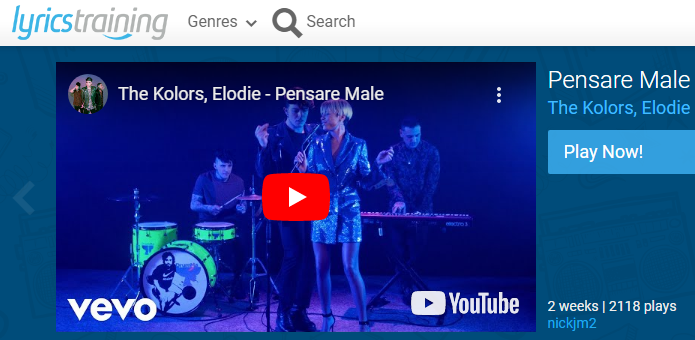
– lyrics training: for those who like to learn languages with songs. Lyrics training is made with fill-in-the-blank exercises using the lyrics of the most famous songs of the present and the past.
– seterra: engaging quizzes about geography that can be used in the class as great support for your lessons.
– Storyjumper: a digital storytelling platform focused on student voice, great for primary school, language learning, and voice narration. Students can easily create their own illustrated book online and collaborate in real time.
If you want to dig deeper into this topic, check our training course: “Digital Storytelling: The Secret Tool for Engaging and Impactful Lessons“.
G) Education on the safe use of technology
DESCRIPTION:
Some organizations that work in education have created their own online website in order to spread their ideas on the internet.
Some of them use technology to teach how to use technology, to adults, teachers, and students, inside the school as well as outside.
FUNCTION:
These corporations with their websites are promoters of good practices towards the use of technology, covering important topics like safety, privacy, social media, online content sharing, and cyber-bullying
PROGRAMS:
– commonsensemedia: this website is very rich in resources for teachers, parents, and students to learn about how to use technology in a good way.
Teachers can find already prepared lessons that they can just study, download and submit to the class. There are also inspiring posters to stick to the school’ halls and great awareness-raising videos.
As far as cybersecurity is concerned, you can find some tips on how to protect sensitive data and build a safer digital environment in your classroom in this video: Cybersecurity Tips for Teachers
Lastly, we’ve covered how schools can comply with the new European Union AI Act in this talk: AI Compliance in EU Schools: What Educators Need to Know.
H) New frontiers (ER)
DESCRIPTION:
The so-called ER (Extended Reality) is an umbrella term in which we find AR (augmented reality) and VR (virtual reality). Both are useful instruments to help students in their learning.
At this link, you can discover more about our “Digital Game-Based Learning & Augmented Reality for Schools” course.
FUNCTION:
Science fiction or reality? Maybe the schools of the future will be full of students wearing special lenses and goggles with sensors that will guide avatars into simulated worlds where they can experience virtual realities and learn more effectively and safely.
For the moment, we have just some tools that we can try out, mostly made by Google and Microsoft, consisting of headsets and HoloLens. Your students could experience time travel with VR platforms like Google Expeditions or TimeLooper, or bring artwork to life with Quiver or Artvive.
We have to think a lot about how to use the power of technology: especially when we talk about educating new generations. Some knowledge and a bit of wisdom are certainly necessary ingredients.
To learn more about the integration of these innovative tools in your classroom, check out our teacher training course Transforming Education: Integrating AI, AR, VR, and 3D Printing for Effective Learning.
Conclusion
We have spoken about the most used (and most popular) online educational tools.
I am confident you’ll probably have found in this article something helpful and useful to you… I hope so!
Have a look at our varied teacher training courses if you wish to find out more about how to use ICT tools in your classroom.
Which ones do you like the best? Which ones didn’t you know, and you would put into practice right away?
Let me know in the comments!
One of the most clear conclusions we have drawn from the lockdown period is technology is here to stay in our classroom and outside them. Maybe it is time to start implementing them not only as an advantage for students but also to ourselves. Devoting some time to learn how to use these resources will result in a higher level of students motivation but it will also help us going on with the contents they have to learn regardless we are at school or not.
I have used lyrics training and quizziz myself in my lessons and I’ve added Edpuzzle during lockdown. Students have been quite happy with the activities! I recommend you to use them!
Dear Maria,
thank you for your useful reply!
It’s true, technology can help teachers a lot. I’m sure you will keep improving!
I like the article and find it very useful and structured! I’m using most of these programs in my classes and they really make a difference in teaching foreign languages!
Dear Tsvetelina,
Happy you liked the article and happy you find these programs useful for your lessons.
thank you for your reply!
Dear Iacopo,
I learnt a lot from you in the last year course in Florence. When the school closed because the virus situation I thought a lot for your words, for your instructions, for you ideas and for the applications which we used.
So I would like thanks for it and for your article which will be also very useful. In my school the greatest lesson was for us, we must create plan, we must talk a lot about how and with which tools we will organize our online education in the next. We hope never be the same situation, but we must think about it.
Your article will help a lot in it. Thank you very much.
It is fantastic that after our course you and Europass don’t let go our hands. Thanks it again.
Have a nice day, best regards,
Ibolya (Hungary)
Dear Ibolya,
we are very glad to hear your words.
You know that for any problem Europass is always happy to help teachers. Please feel always free to write us.
I wish you the best.
Hello Iacopo,
This is a wonderfully rich, detailed recap on all the online tools available. I was one of your student last year in July at your training on using tablets and mobiles as educational tools . However challenging this was for me, I enjoyed and learnt a lot from it. Thank you for your teaching, patience, and for this article. I hope everything is fine for you in Florence.
Take care,
All the best from Guadeloupe.
Najia
Dear Najia,
I’m happy you enjoyd the course. Here in Florence we are ok, I hope you’re fine too!
I wish you the best. Take care.
I’d advise a look at FLIPGRID.
STS can make a video – can mask their faces … teacher has the possibility to review the video contents before making it “public” to the class. STS record, edit
For oral presentations – a language teacher’s dream.
Dear Fernando,
I completely agree, Flipgrid is a great, innovative and engaging tool!
Thanks a lot for the suggestion.
This was an interesting read. Who would have told me that I would be using so many of the tools you introduced us to last October during the Flipped classrooms course I attended, because of this pandemic!
Dear Roberta,
nobody could have told you.
Technology is always a resource if we know how to use it.
Thank you for writing.
Last year I learned these tools in Dublin. 🙂 The course was organized by Europass. I recommend you check out Flipgrid (this is one of my personal favorites) and I suggest you check out the Quizlet. It acts as a memorization tool, helping students learn. You can make base cards, those can also act as games (space racing, gravity, tests). Our students like the “live” game. It’s like a Kahoot! but students have to work in groups, choose the good answer together. Another advantage is that students can make their own formulations. And here is a new tool, Genial.ly. Lots of games and tutorials can be made with this, our favorite is the escape room. Thank you for the extremely useful collection.
Best regards,
Valeria
Many thanks to you Valeria for you reply.
We completely agree, follow Valeria’s suggestions: Flipgrid, Quizlet and Genial.ly are great educational tools.
Hi, everybody:
For sure, very useful tools to use in or out of the classroom and for projects. They will provide students more autonomy and develop their creativity. The teachers’role in the classroom is changing. We are no longer the only ones who own the knowledge. With these tools the students are able to learn and work on their own or in groups, to share knowledge and ideas and above all to learn so that they can solve their difficulties. I still consider face-to-face classes very important. Nothing replaces teachers, but the role of the teacher should be a guide, a helper.
Thank you.
Dear Maria Luísa,
you touched a very important point in implementing technology in the classroom.
Thank you for this thought!
Dear Iacopo,
thank you for this very useful article. What I have learnt from online lessons is that I need a plan B, C and sofort! Your hints will help me greatly.
Hope to receive more of your articles.
Best Regards
Thank you Maria Paola,
Happy to hear that you enjoyed the article
Caro Iacopo,
sono davero molto felice che avevo la possibilitá di fare il tuo corso a Firenze l` anno scorzo. Mi ha aiuto molto durante questo lockdown.
Stai bene
tanti saluti
Susan
Grazie Susan,
sono felice di sapere che ti è stato utile
Dear Iacopo,
Here I am again. I am reading the comments, over and over again because they are all very interesting. My school is involved in an Erasmus + Project. I am from Portugal and the project is called VOAR. I know that my email address will not be publishes but I would like to know if there is any possibility of being in touch with teachers or schools. We would like to involve our school in some jobshadowing activities. We would like to share some of our projects, activities, strategies.
Thanks a lot.
Take care,
Maria Luísa Veiga